Screenshots show the French version of the app.
An emergency reported on a site is handled by the contractor who steps in: the site's Network manager. They follow it in Buildr, talk with the team in its discussion, then close it when the problem is fixed.
Follow an emergency
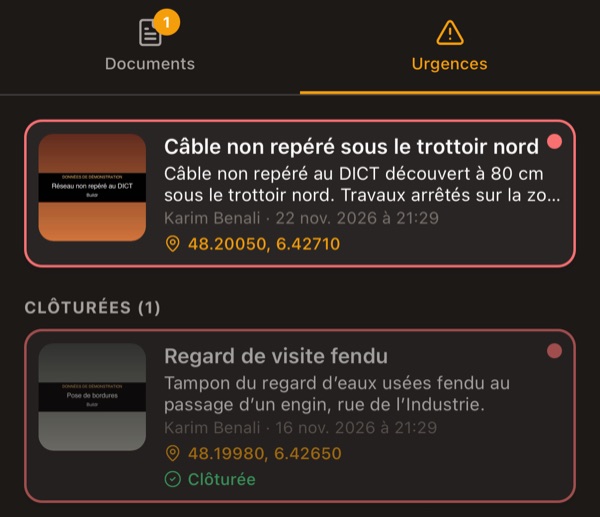
- Open the site, then the Emergencies tab. Admins and managers then choose the External incident sub-tab.
- Emergencies to handle are at the top of the list. The number next to External incident only counts those.
- Tap an emergency to see its photos, its location (Directions button) and its discussion.
- Under DISCUSSION, keep the team posted: arrival on site, part to order, lead time.
Close an emergency
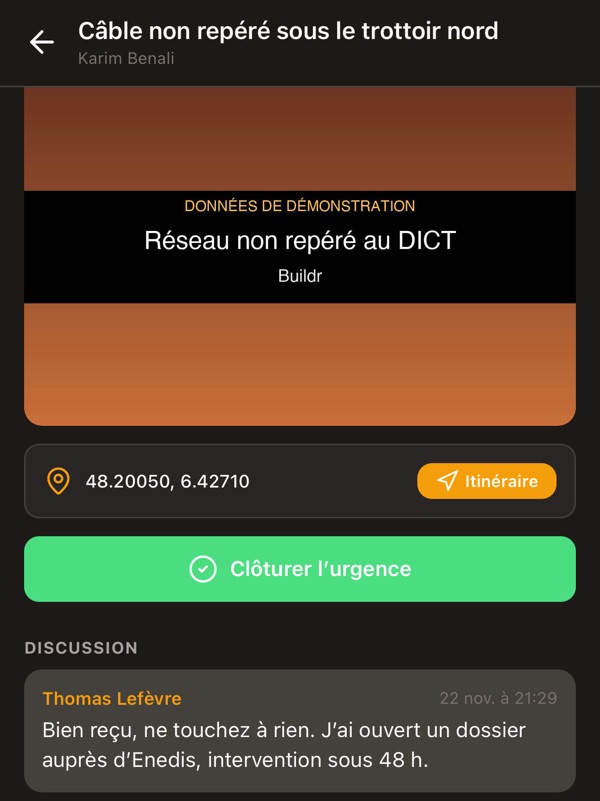
- Open the emergency.
- Tap Close the emergency, below the location.
- Confirm with Close.
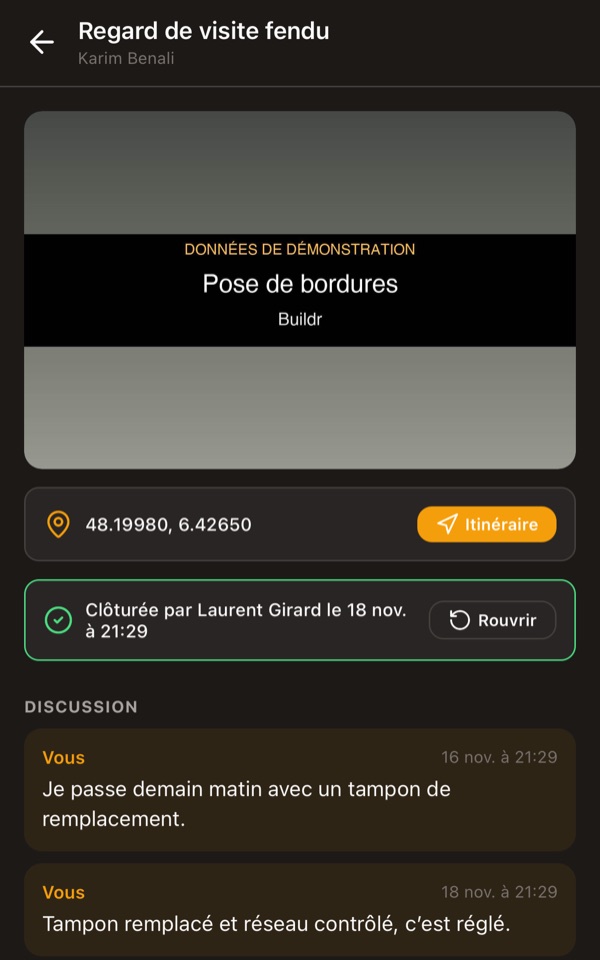
The emergency then shows Closed by your name, with the date and time. It moves to the bottom of the list, greyed out, under CLOSED. The site members receive an "Emergency closed" notification.
In the dashboard, it is the same Close the emergency button, in the window that opens when you click the emergency.
Reopen an emergency
If the problem comes back, open the closed emergency and tap Reopen. It goes back to the top of the list, with the emergencies to handle.
Who can close?
| Emergency | Claim | |
|---|---|---|
| The site's Network manager | ✓ | — |
| Admin, the site's Manager, the site's creator | ✓ | ✓ |
| Client who filed the claim | — | ✓ |
| Worker, even if they reported the emergency | — | — |
The same people can reopen.
Good to know
- The discussion stays open after closing: you can still add a message to it.
- Only closing sends a notification. Reopening an emergency updates the list for everyone, without a notification.
- Clients' claims are closed the same way, with Close the claim.