Screenshots show the French version of the app.
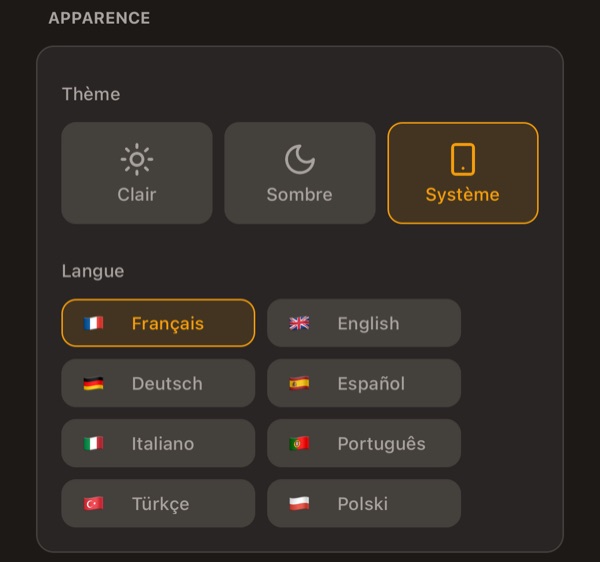
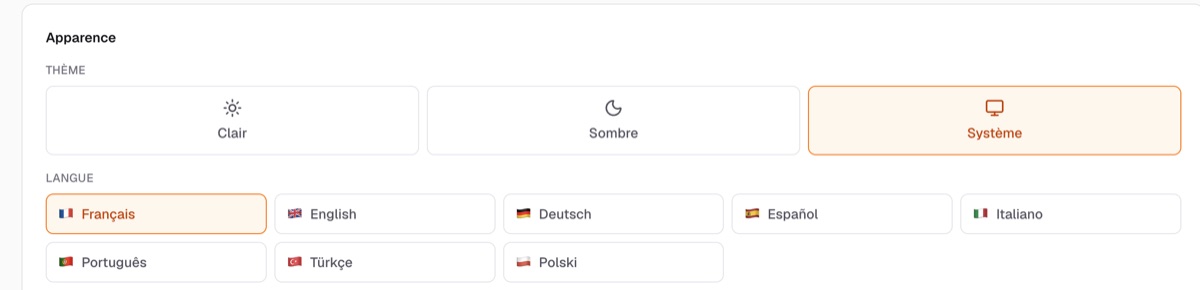
Buildr is available in eight languages: Français, English, Deutsch, Español, Italiano, Português, Türkçe and Polski.
On first launch, Buildr opens in the language of your phone or browser, if it is one of the eight. Otherwise, the app opens in English and the dashboard in French. You can change it at any time.
In the app
- Open the Profile tab.
- Scroll down to the APPEARANCE section.
- Under Language, tap yours. The app switches right away.
Not logged in yet? The language choice is at the bottom of the login screen: tap the language shown, then choose yours from the list.
In the dashboard
- Click Settings in the menu.
- In the Appearance card, under Language, click yours.
Before logging in, the language is chosen below the login box.
Your e-mails and notifications
The language chosen in the app's Profile or in the dashboard's Settings is also saved to your account. Buildr's e-mails, such as the forgotten password one, and the notifications on your phone reach you in that language.
The choice made on the login screen, on the other hand, only changes the display on that device.
Good to know
- The language is set separately in the app and in the dashboard: changing one doesn't change the other.
- In the same APPEARANCE section of the app, the Vibrations switch turns off or back on the phone's slight feedback when you move, check or delete an item. It is on by default and only appears in recent versions of the app: if it's missing, update Buildr from the App Store or Google Play.
- As long as you haven't chosen a language, the app follows your phone's. Once chosen, it no longer changes.
- What your team writes, messages, step names and documents, stays in the language it was written in.
- The Library of standard steps follows the app's language (see How do you add steps from the library?).
- When you invite someone, you choose the language of their invitation e-mail; their account starts in that language (see How do you invite your team?).