Screenshots show the French version of the app.
A screen that crashes, a photo that won't upload, an idea to save time? Write to the Buildr team directly from the app or the dashboard. Every message is read, and the reply comes back to the same place.
Before writing, the answer may already be here: the Help center opens from the Profile tab, under Help, or from the dashboard's left-hand menu.
From the app
- Open the Profile tab.
- Under Help, tap Help and reports.
- Choose Bug or Suggestion.
- Enter a Subject, then describe the situation in Message: what you were doing, what you expected, what happened.
- Tap Send. "Message sent. Thank you!" appears.
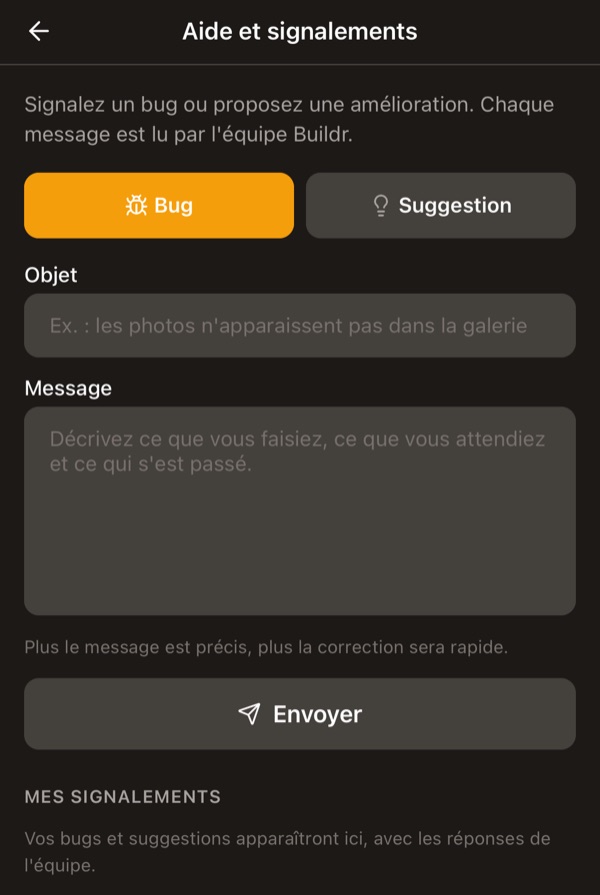
The Send button becomes active when the subject and message are long enough. The app version is automatically attached to your message.
From the dashboard
- Open Help and reports in the left-hand menu.
- Choose the Kind (Bug or Suggestion), then fill in Subject and Message.
- Click Send.
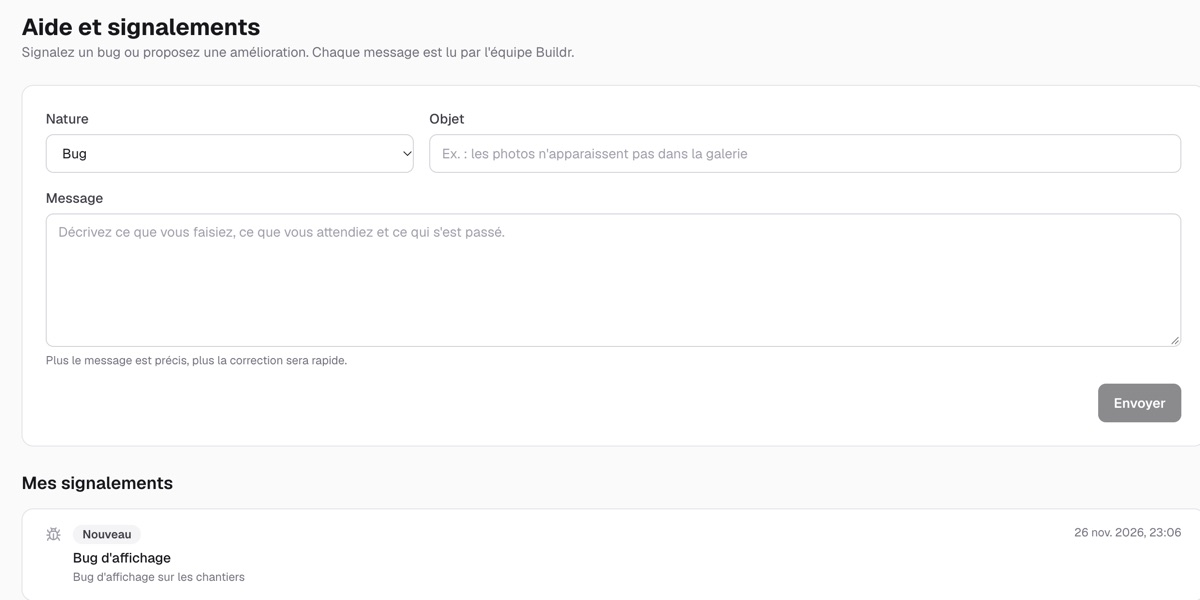
Follow the reply
Your messages appear under My reports, with their status:
| Status | What it means |
|---|---|
| New | Received, not yet handled. |
| In progress | The Buildr team is working on it. |
| Resolved | Fixed or implemented. |
| Declined | Not taken forward. |
When the team replies, you receive a "Reply to your report" notification, and Answered appears on the message. Tap it (or click it in the dashboard) to read the Reply from the Buildr team.
By e-mail
You can also write to support@getbuildr.fr. The website promises a reply within 24 to 48 business hours.
Good to know
- Help and reports is addressed to the Buildr team. To report a message or a person from your team to your administrator, see How do you report content or block someone?.
- For a question about your personal data, write to privacy@getbuildr.fr (see Where is your data and how do you get it back?).
- The app's version number is shown at the very bottom of the Profile tab. You may be asked for it.